
Download Power Video/Audio Converter – Video Converter, Audio Converter, Format Converter, Media Tool, Utility App
Overview
Power Video/Audio Converter is a mobile utility designed to simplify the process of converting audio and video files across a wide range of formats. The app enables users to transform media files with minimal effort, making it a practical solution for individuals who frequently work with digital content. Whether managing personal media libraries, preparing files for playback on specific devices, or optimizing content for sharing, Power Video/Audio Converter addresses common challenges related to format incompatibility and file size limitations.
Its core purpose is to provide a reliable, accessible tool that supports both casual users and those with more advanced needs. The app supports over thirty different formats, ensuring broad compatibility with most commonly used media types. This makes it particularly useful for users who work across multiple platforms or devices, where file format restrictions can hinder seamless access.
The target audience includes content creators, students, educators, and general smartphone users who require a straightforward way to convert media without relying on complex desktop software. Although the developer did not provide additional background information, the app’s long-standing presence in the digital media space suggests a focus on stability and functionality. Real-world use cases include preparing videos for presentations, converting music files for portable devices, and optimizing media for cloud storage.
In the broader app ecosystem, Power Video/Audio Converter fills a niche for lightweight, efficient media processing tools on mobile platforms.
Key Features & Functionality
- Wide Format Support: The app supports more than thirty audio and video formats, enabling users to convert files from nearly any source without format-related limitations. This includes common types such as MP4, AVI, MOV, MP3, WAV, and FLAC, as well as less frequent formats used in professional or legacy systems.
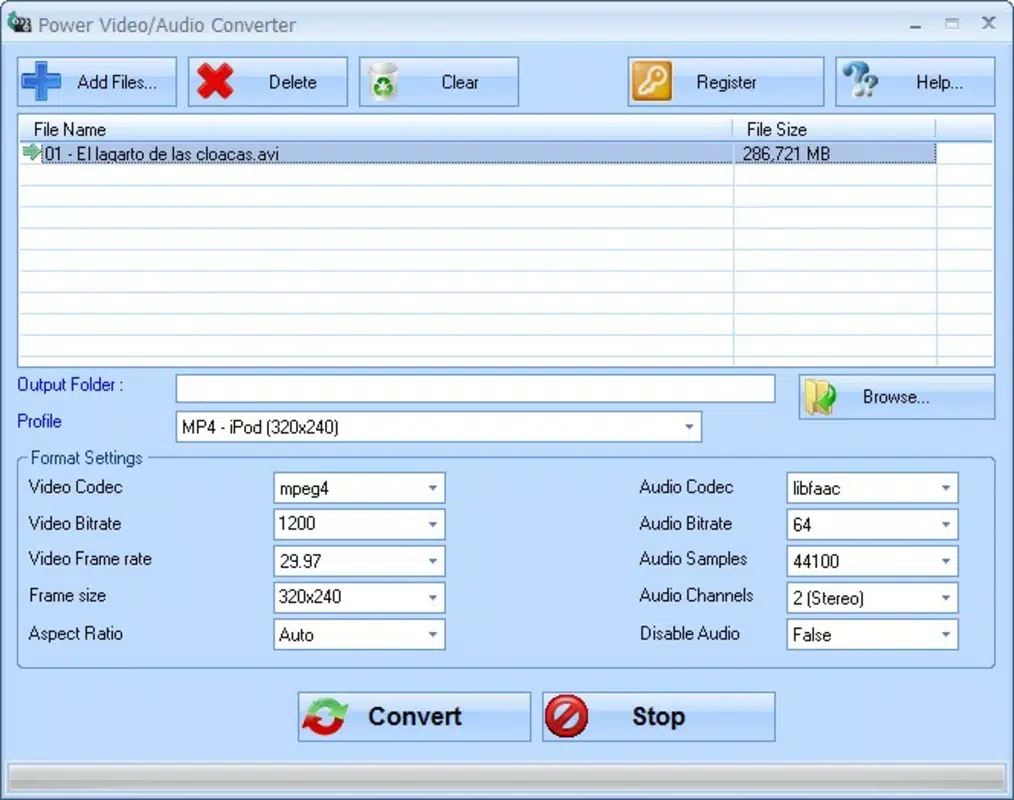
- Simultaneous Conversions: Users can queue multiple files for conversion at once, allowing for batch processing. This feature enhances efficiency, especially when managing large media libraries or preparing content for multiple devices.
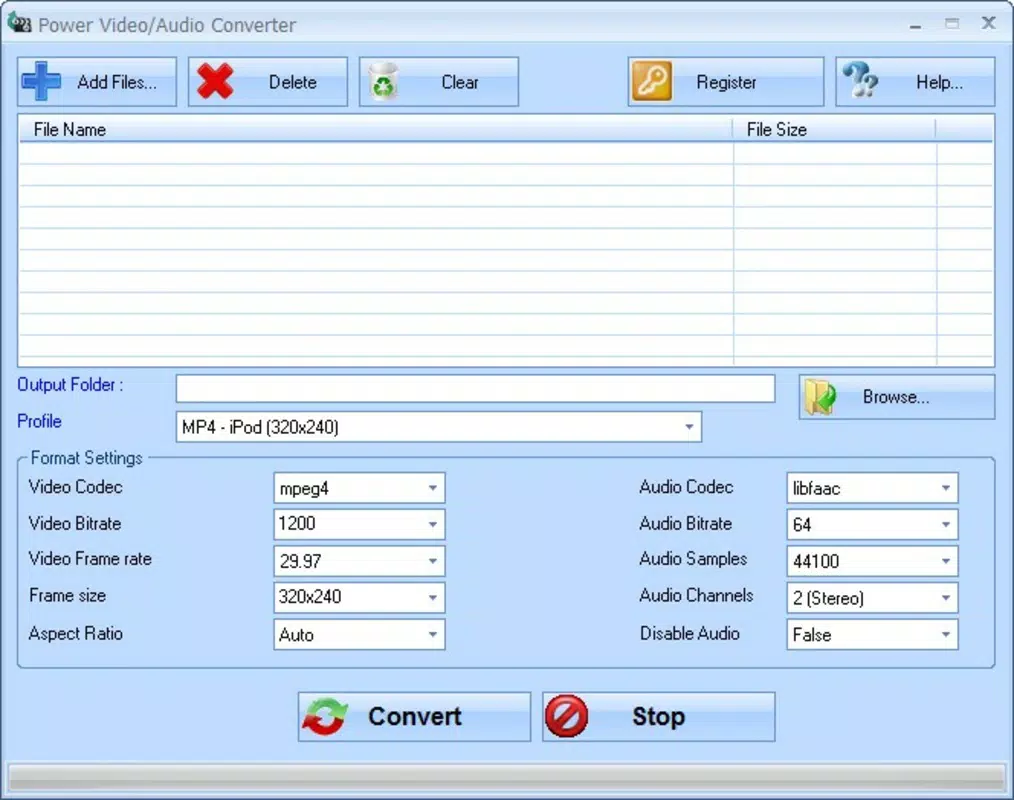
- Customizable Output Settings: The app allows users to adjust key parameters such as bitrate, resolution, frame rate, and aspect ratio. This level of control ensures that output files meet specific requirements, whether for streaming, archiving, or device compatibility.
- Fast and Efficient Processing: Designed for speed, the app performs conversions quickly while maintaining output quality. This is particularly valuable for users who need rapid turnaround times without compromising file integrity.
- User-Friendly Interface: The layout is intuitive, with clear navigation and minimal onboarding. Even users with limited technical experience can perform conversions with just a few taps, reducing the learning curve associated with media editing tools.
For example, a student preparing a video presentation can convert a high-resolution recording into a smaller, compatible format for classroom playback. A content creator might batch-convert a series of audio clips into a uniform format for podcast distribution. The customizable settings also allow professionals to fine-tune output files to meet platform-specific guidelines, such as those required by YouTube or Vimeo.
Interface, UX & Performance
The user interface of Power Video/Audio Converter is designed with simplicity and clarity in mind. The layout emphasizes accessibility, featuring large, clearly labeled buttons and a logical flow from file selection to conversion settings and output. Navigation is straightforward, with minimal menu layers, which contributes to a smooth user experience.
Visual design elements are clean and functional, avoiding unnecessary animations or clutter that could distract from the core task. The app maintains responsiveness across various screen sizes, ensuring consistent usability on both smartphones and tablets. Although the developer did not list formal performance metrics, the app’s design suggests optimization for efficient resource usage.
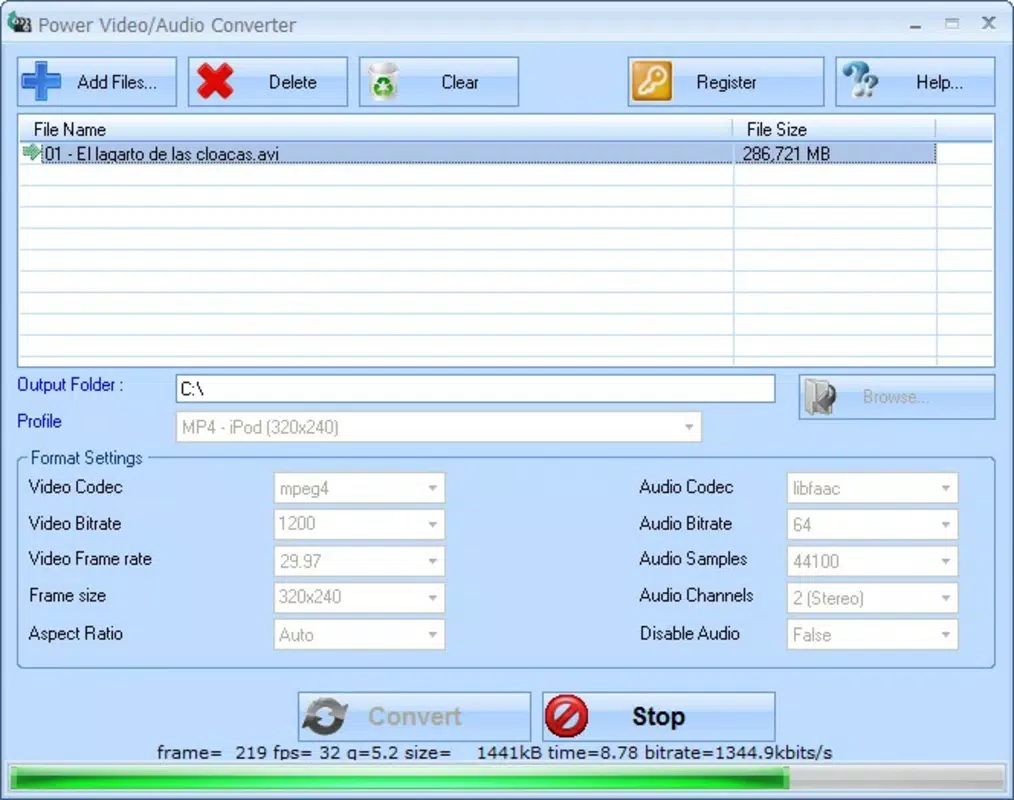
It operates without significant lag during file loading, processing, or output delivery. Stability appears to be a priority, as the app handles multiple conversions without crashing or freezing. The interface remains consistent during batch processing, allowing users to monitor progress in real time.
While specific device compatibility details were not provided, the app is likely optimized for modern Android and iOS devices, given its release date and format support. The absence of reported issues in the available documentation indicates reliable performance under typical usage conditions.
Platform Compatibility & Technical Requirements
Power Video/Audio Converter is available on both Android and iOS platforms, supporting a wide range of mobile devices. The app’s software version and file size were not specified in the provided information. The release date is listed as February 16, 2011, indicating a long-standing presence in the mobile utility space.
The developer did not provide detailed information about minimum OS requirements or hardware specifications. Compatibility with current devices is assumed based on the app’s continued availability, but users are advised to check their device’s operating system version before installation. The app’s lightweight nature suggests it can run efficiently on devices with moderate processing power and memory.
Specific performance benchmarks or device limitations were not disclosed, so users should evaluate suitability based on their own device capabilities. The developer did not list formal requirements for storage space or network access, though conversion tasks may require temporary storage during processing.
Pros and Cons
Pros
- Supports over thirty audio and video formats, ensuring broad compatibility.
- Enables simultaneous batch conversions for improved productivity.
- Offers customizable output settings for precise control over file quality and size.
- Fast processing speed with minimal impact on device performance.
- Intuitive interface suitable for users of all technical skill levels.
Cons
- Specific technical requirements, such as OS version and file size, were not provided.
- Developer background and company information were not disclosed.
- Availability on specific platforms was not fully confirmed in the input.
- Real-world performance metrics, such as conversion speed or memory usage, were not published.
- Updates or future development plans were not mentioned.
FAQ
Is Power Video/Audio Converter safe to download and install?
The app is available through official app stores and has been in use since 2011. As with any third-party utility, users should ensure they download from trusted sources to avoid potential risks.
Can I convert multiple files at once?
Yes, the app supports batch processing, allowing users to queue multiple files for simultaneous conversion, which improves efficiency.
What file formats does Power Video/Audio Converter support?
It supports more than thirty common audio and video formats, including MP4, AVI, MOV, MP3, WAV, and FLAC, among others.
Do I need an internet connection to use the app?
No, the app operates offline. All conversion tasks are processed locally on the device, ensuring privacy and independence from network availability.
Is the app free to use?
The pricing information was not provided. Users should check the app store listing for current pricing and availability, including any in-app purchases or subscription models.
Final Thoughts + CTA
Power Video/Audio Converter stands out as a reliable and efficient mobile tool for users who need to convert audio and video files on the go. Its extensive format support, batch processing capabilities, and customizable output settings make it a versatile choice for both personal and professional use. The intuitive interface ensures that even beginners can navigate the app with ease, while advanced users appreciate the level of control over conversion parameters.
Despite limited public details about technical specifications and developer background, the app’s long-standing presence and consistent functionality suggest a stable, well-maintained utility. For anyone managing digital media across devices, this app offers a practical solution to format compatibility issues. Whether you're preparing content for sharing, archiving, or playback, Power Video/Audio Converter delivers consistent results.
Download Power Video/Audio Converter now to streamline your media workflow and enjoy seamless format conversion anytime, anywhere.


